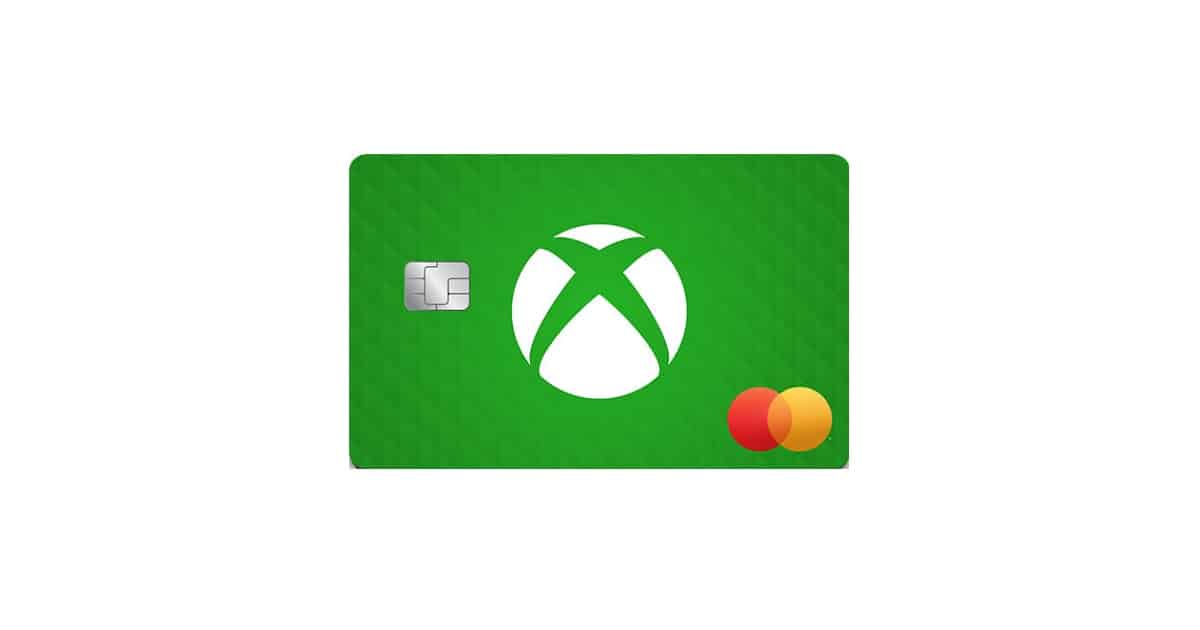
The world of gaming is more expansive and immersive than ever before, and for dedicated fans of the Xbox ecosystem, every purchase is an opportunity to enhance their experience. Recognizing this, Microsoft, in partnership with Barclays, launched the Xbox Mastercard, the first-ever credit card specifically tailored to reward the passionate Xbox community in the United States. This card is not just another piece of plastic; it’s a financial tool designed to turn everyday spending into valuable gaming rewards.
With no annual fee and a points structure heavily weighted toward gaming and lifestyle purchases, the Xbox Mastercard has quickly become a compelling option for anyone deeply invested in the Microsoft and Xbox universes.
Key Features and Rewards Structure
The core appeal of the Xbox Mastercard lies in its generous and gamer-focused rewards program. Cardholders earn “Card Points” on all eligible purchases, which can then be redeemed for a variety of Xbox and Microsoft products.
The Points Earning Tiers
The card’s rewards are structured to maximize points on purchases within the Microsoft ecosystem, alongside popular services that gamers frequently use:
- 5X Card Points per $1 spent on Eligible Microsoft Store Purchases: This is the card’s flagship earning rate. It applies to a broad range of products at the digital Microsoft Store, including Xbox games, add-ons, DLC, controllers, consoles, and other eligible electronics and software. This category is where dedicated Xbox players will see the most significant return.
- 3X Card Points per $1 spent on Eligible Streaming Services: Recognizing that modern entertainment often goes hand-in-hand with gaming, the card rewards spending on major streaming platforms like Netflix, Disney+, Hulu, Spotify, and others.
- 3X Card Points per $1 spent on Eligible Dining Delivery Services: This category acknowledges the convenience of food delivery, rewarding purchases from services such as DoorDash and Grubhub.
- 1X Card Point per $1 spent on All Other Qualifying Purchases: All other purchases made with the card, everywhere Mastercard is accepted, will earn a baseline reward of 1 point per dollar, making it a viable everyday spending card.
How to Redeem Card Points
Card Points hold a simple redemption value, which is applied as a credit on your billing statement. Points can be redeemed for:
- Digital Games and Add-ons: Purchase the latest titles, DLC, and season passes.
- Hardware: Use your points toward a new Xbox console, a controller, or other accessories.
- Xbox Gift Cards: A versatile option to purchase anything available on the Xbox or Microsoft Store.
- Subscriptions: Points can be used toward the first month of an Xbox Game Pass membership or other eligible subscriptions.
The process is generally straightforward: when making a purchase on Xbox.com, Microsoft.com, on your console, or in-game, you can opt to use your accumulated Card Points toward the cost.
Exclusive Welcome Offer and Ongoing Perks
Beyond the daily earning rates, the Xbox Mastercard includes valuable introductory and ongoing benefits that sweeten the deal, especially for those who are new to the Xbox Game Pass service.
Initial Welcome Bonus
Cardholders can typically earn a significant welcome bonus after completing a qualifying action:
- Bonus Card Points: After making your first purchase within a specified timeframe (e.g., 180 days of account opening), you earn a substantial bonus of Card Points, which translates to a $50 or more value.
- Complimentary Xbox Game Pass Ultimate: New Game Pass members receive a complimentary three-month subscription to Xbox Game Pass Ultimate after their first purchase, offering access to hundreds of games on console, PC, and cloud. Current Game Pass members can typically gift this code to a friend or family member.
Additional Member Benefits
- Personalization: The card allows for a unique touch, letting cardholders choose from five iconic Xbox-themed card designs and even personalize the physical card with their Gamertag.
- Level 2 Microsoft Rewards Upgrade (New): Cardmembers are upgraded to Level 2 of the Microsoft Rewards program, which allows them to earn rewards faster across the entire Microsoft ecosystem.
- Complimentary Spotify Premium Individual: New Spotify Premium Individual members can often receive three free months of this service.
- Giftable Game Pass Codes: By meeting a spending threshold within the first year (e.g., $7,000), cardholders can earn additional 3-month Xbox Game Pass Ultimate codes to share.
- No Annual Fee: A major benefit that ensures the card’s value comes purely from the rewards earned, without an annual cost eroding them.
- Mastercard and Barclays Protections: As a Mastercard issued by Barclays, the card includes standard benefits like $0 Fraud Liability protection and complimentary access to your FICO® Credit Score.
Important Considerations: APR and Financial Prudence
While the rewards are compelling, it is crucial for all potential applicants to understand the financial implications of a credit card, particularly the Annual Percentage Rate (APR).
- High Variable APR: Credit cards like the Xbox Mastercard often come with a variable APR that can be quite high, especially for applicants with fair to good credit. The APR can range significantly, and is dependent on your creditworthiness.
- Interest Can Nullify Rewards: The value of the points earned can be quickly negated by interest charges if the full balance is not paid off each month.
- Rule of Thumb: To maximize the card’s benefit, it should be used for purchases that can be paid off in full by the due date every month. This strategy ensures you reap the rewards (points) without incurring any interest charges. The card is best used as a tool to leverage your existing spending into rewards, not as a means to carry debt.
How to Apply for the Xbox Mastercard (Application Process)
The application process for the Xbox Mastercard is straightforward and conducted primarily through the official Xbox website, which then redirects to the issuer, Barclays.
Important Note: The Xbox Mastercard is currently only available to residents of the 50 United States, including Alaska and Hawaii, and applicants must be 18 years or older.
Step-by-Step Application Guide
- Visit the Official Xbox Mastercard Page: Navigate to the dedicated Xbox Mastercard section on the official Xbox or Microsoft website.
- Sign In or Create a Microsoft Account: You must be signed in to your Microsoft account (the one linked to your Xbox profile) to begin the application. This links your gaming identity to the card application.
- Initiate the Application: Look for the “Apply Now” or “Sign In to Apply” button. This action will redirect you to the secure application portal hosted by Barclays Bank Delaware, the card issuer.
- Complete the Barclays Application: On the Barclays website, you will need to provide standard credit card application information, which typically includes:
- Personal Information (Name, Address, Phone Number, Email)
- Date of Birth and Social Security Number (required for credit check)
- Financial Information (Employment Status, Total Annual Income)
- Select Your Card Design: During the process, you will be prompted to choose one of the five available Xbox-themed card designs. You will also have the option to include your Gamertag on the physical card.
- Review and Submit: Carefully review the card’s Terms and Conditions, Pricing, and Interest Rates (APR) before finalizing the submission.
- Approval and Digital Use: If approved, you may be able to add the card digitally to your Microsoft account immediately for use on the Microsoft Store while you wait for the physical card to arrive in the mail.
By following these steps, eligible Xbox fans can easily apply for the card and start turning their everyday expenses—and their dedicated gaming purchases—into valuable Card Points, bringing them closer to their next big gaming upgrade.